The merge ran. The output had 61,000 rows. The input tables had 50,000 and 50,000, and one of them was supposed to be a lookup table with unique keys. The candidate said "hmm, that's odd" and moved on to the next cell, which is the exact moment the interview ended without anybody announcing it.
Most pandas interview questions are not really about pandas syntax — you can look up syntax. They are about whether you notice when a dataframe silently becomes wrong, and whether you can explain what the library is doing underneath. This guide covers the six areas that come up most in data analyst and data engineer interviews, with the answers that actually score, and the two questions almost everybody fumbles.
Selection, indexing, and the copy-versus-view question
loc versus iloc. loc is label-based, iloc is position-based. The trap is that loc slices are inclusive of the endpoint while iloc slices are not, which surprises people who learned Python lists first.
The SettingWithCopyWarning. This is the single most reliable pandas interview question, and most candidates answer it as "just use .loc" without knowing why.
df[df.score > 90]['grade'] = 'A'        # chained indexing: writes to a temporary, silently lost
df.loc[df.score > 90, 'grade'] = 'A'    # single indexing operation: writes to df
The explanation that scores: the first line is two operations. The filter may return a copy rather than a view, so the assignment mutates that copy and pandas cannot guarantee it reached the original — hence the warning. The single .loc call is one operation, so pandas knows exactly what you meant. Add that copy-on-write behaviour became the default in pandas 3.0, which removes the ambiguity entirely, and you have shown you follow the library.
Boolean masking versus query. Equivalent in result; query is more readable for long conditions and can be faster on large frames because it can use numexpr.
Merges and joins
This is where wrong answers become wrong data.
how— inner, left, right, outer. Know the row-count consequence of each before you run it.- Duplicate keys multiply rows. If the right frame has two rows for a key, a left merge produces two rows for every matching left row. This is the cause of nearly every "why did my row count go up" bug.
validate— the underused argument that turns a silent bug into an exception:
merged = orders.merge(customers, on='customer_id', how='left', validate='many_to_one')
# raises immediately if customers has duplicate customer_id — instead of quietly duplicating rows
Mentioning validate unprompted is one of the highest-signal things you can say in a pandas interview.
indicator=Trueto see which rows matched, which is how you debug a merge rather than guess.suffixesfor overlapping column names, and why you should rename before merging rather than live with_xand_y.mergeversusjoinversusconcat—mergeis column-based,joinis index-based convenience,concatstacks along an axis. Say the difference precisely.
Groupby, and agg versus transform versus filter
The distinction interviewers probe:
aggreduces each group to one row. Use it for a summary table.transformreturns a result the same shape as the input, broadcast back to every row. Use it when you want a group statistic as a new column.filterkeeps or drops whole groups based on a condition.
# group mean as a new column on every row — transform, not agg then merge
df['dept_avg'] = df.groupby('dept')['salary'].transform('mean')

# keep only departments with more than 10 people
big = df.groupby('dept').filter(lambda g: len(g) > 10)
Candidates who reach for agg and then merge the result back are doing transform the long way, and interviewers notice.
Also worth knowing: as_index=False versus reset_index(), observed=True when grouping on categoricals, and that dropna=False is needed if you want null keys to form their own group.
apply versus vectorisation
The most common performance question, and the answer is short: apply on an axis is a Python-level loop with overhead per row, so it is typically ten to a hundred times slower than a vectorised operation on a large frame.
df['flag'] = df.apply(lambda r: 1 if r.score > 90 else 0, axis=1)   # slow: a loop
df['flag'] = (df.score > 90).astype(int)                            # fast: vectorised
For multi-branch logic, np.select or np.where are the vectorised answers. For row-wise logic that genuinely cannot be vectorised, apply is acceptable — say so honestly rather than pretending vectorisation always applies.
The follow-up: "why is vectorisation faster?" The answer is that the operation is executed in compiled C over a contiguous NumPy array, so you pay the Python interpreter cost once rather than once per row. Our Python interview questions guide covers the language layer.
Memory and dtypes
Interviewers ask this because it is where pandas actually breaks in production.
categorydtype for low-cardinality strings can cut memory by an order of magnitude. This is usually the first thing to try.- Downcasting numeric columns from
int64toint32orint8where the range permits. df.info(memory_usage='deep')to see the real cost of object columns, which the shallow view understates badly.chunksizeonread_csvto process a file larger than memory.- Parquet over CSV — columnar, typed, compressed, and dramatically faster to read a subset of columns.
- When to leave pandas. Be honest: past roughly a few gigabytes on a single machine, Polars, DuckDB or Spark are the right answers. Saying this shows judgment rather than loyalty. Our PySpark interview questions guide covers the next step up.
Time series
- A
DatetimeIndexunlocks the good parts — partial string indexing,resample, and time-aware rolling windows. resampleversusgroupby—resampleis a groupby on time with a frequency, and it fills gaps in a way a plain groupby does not.rollingwindows for moving averages, withmin_periodsto control what happens at the start.- Timezones.
tz_localizeattaches a timezone to naive timestamps;tz_convertmoves an aware timestamp to another zone. Confusing the two is a classic bug, and a classic follow-up. shiftanddifffor period-over-period changes, and why you must sort first.
Questions you should expect verbatim
- "What is the difference between
locandiloc?" - "How do you handle missing data?" — and here the good answer is that it depends on the mechanism: dropping, filling with a statistic, forward-filling in a time series, or leaving nulls and handling them downstream.
fillna(0)on everything is the answer that ends rounds. - "How would you find duplicate rows?" —
duplicated()with asubset, andkeep='first'versuskeep=False. - "How do you pivot data?" —
pivot_tablewithaggfunc, versuspivotwhich fails on duplicate index-column pairs, versusmeltto go the other way. - "How would you process a 10GB CSV?" — chunking, dtype specification up front, selecting only needed columns, or switching tools entirely.
Where each prep option actually helps
- The official pandas user guide — genuinely well written, and the merge and groupby pages answer most interview questions directly.
- Effective Pandas by Matt Harrison — the best single source for the idiomatic-versus-naive distinction interviewers grade on.
- StrataScratch and DataLemur — for practising the analytical questions that come wrapped around the pandas syntax.
- Kaggle notebooks — good for exposure, though they normalise habits like heavy
applyuse that interviews penalise. - ChatGPT — good at writing the pandas one-liner. It will not ask you why your row count went up, which is the question that actually decides the round.
- Greenroom — the spoken layer. Ari, the AI interviewer runs data interviews out loud and asks the follow-up on your explanation. Honest tradeoff: Ari will not execute your dataframe, so pair it with real practice.
Our data analyst interview questions and data engineer interview questions guides cover the rounds this sits inside.
Frequently asked questions
What are the most common pandas interview questions?
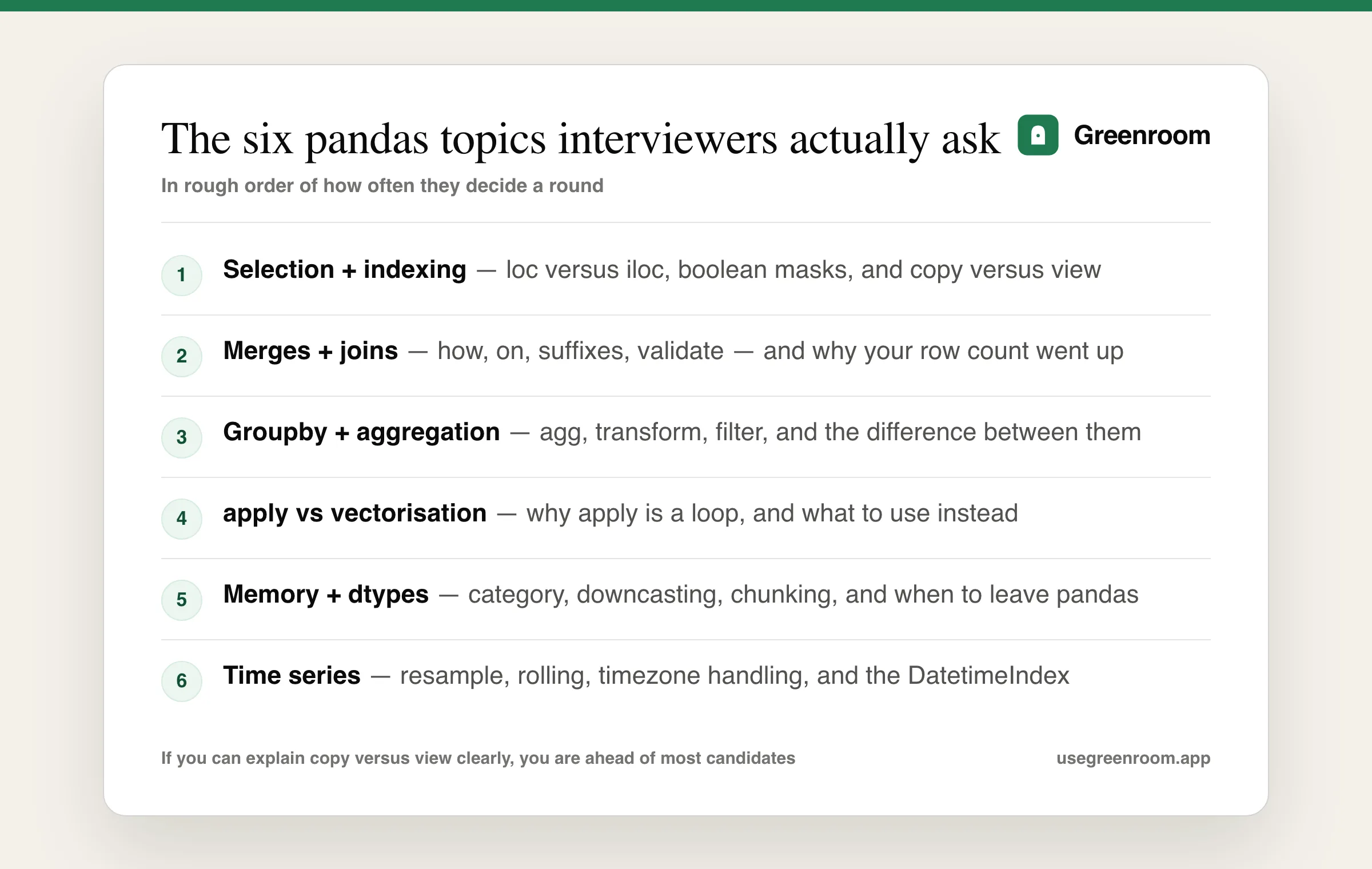
Six areas cover almost everything: loc versus iloc and the copy-versus-view behaviour behind SettingWithCopyWarning, merges including why duplicate keys inflate row counts, groupby with the distinction between agg, transform and filter, why apply is slower than vectorisation, memory and dtype management including category and chunking, and time series work with resample, rolling and timezone handling.
What causes SettingWithCopyWarning and how do you fix it?
It is caused by chained indexing — filtering a dataframe and then assigning to the result — because the filter may return a copy rather than a view, so the assignment may mutate a temporary that is discarded. The fix is to use a single indexing operation such as df.loc[mask, 'column'] = value, so pandas knows unambiguously what you are writing to. Copy-on-write becoming the default in pandas 3.0 removes the ambiguity entirely.
What is the difference between agg, transform and filter in pandas groupby?
agg reduces each group to a single row and is what you use for a summary table. transform returns a result the same shape as the input, broadcasting the group statistic back to every row, which is how you add a group mean as a new column. filter keeps or drops entire groups based on a condition. Candidates who use agg and then merge the result back are doing transform the long way, and interviewers notice.
Why is apply slower than vectorised operations in pandas?
Because apply along an axis is a Python-level loop that pays interpreter overhead once per row, whereas a vectorised operation executes in compiled C over a contiguous NumPy array and pays that cost once for the whole column. On large frames the difference is commonly ten to a hundred times. For multi-branch logic the vectorised answers are numpy.where and numpy.select, and it is fine to say honestly that some genuinely row-wise logic still needs apply.
How do you process a CSV file larger than memory in pandas?
Read it in chunks with the chunksize parameter and aggregate incrementally, specify dtypes up front so pandas does not infer wide types, and load only the columns you need with usecols. Converting to Parquet gives you columnar, typed and compressed storage that is far faster for reading subsets. Past roughly a few gigabytes on one machine, the honest answer is to move to Polars, DuckDB or Spark rather than fighting pandas.
How do you avoid a merge duplicating rows in pandas?
Check the key uniqueness before merging, and pass the validate argument — for example validate='many_to_one' — so pandas raises immediately if the right-hand frame has duplicate keys instead of silently multiplying rows. Using indicator=True to inspect which rows matched, and comparing row counts before and after every merge, turns a silent data bug into something you catch in the interview rather than three cells later.