I've spent the last three months trying every "free" AI mock interview tool I could find — partly because we build one, partly because I had a friend prepping for a job switch who kept asking me which one to use. The honest answer is: most of them are bad. A few are genuinely useful. The rest are demos dressed up as products, or chatbots with an interview-shaped wrapper.
This is the list I wish I'd had. I'm including ours (Greenroom) further down, and I'm trying to be fair about where it falls short. If you just want the summary: there is no single best tool. The right one depends on what kind of interview you're prepping for and how much friction you're willing to accept. For the fuller picture on what an AI mock interview actually is and how it works end to end, see Greenroom's complete AI mock interview guide.
How I'm grading these
Three things matter for an AI mock interview to actually help you:
- Does it adapt to you? A tool that asks the same question regardless of your background is a quiz, not an interview.
- Does it feel like a conversation? Typed responses, walls of text, or 30-second AI delays kill the whole point. Real interviews are voice, real-time, and unforgiving.
- Does the feedback say something specific? "Great job!" is not feedback. "You described what the code does but skipped why you chose Redis over Postgres for the queue" is feedback.
Most free tools fail on at least two of these. The ones below pass at least one well.
1. Pramp (free, peer-matched, real humans)
Pramp isn't AI — it pairs you with another engineer also prepping. You take turns interviewing each other. It's free because both sides need each other.
What works: The signal is real. A nervous human interviewer is the closest thing to the actual experience. You also learn from being on the other side of the table, which is underrated.
What doesn't: Scheduling. You're at the mercy of whoever's online. Your partner might be a confident senior engineer or a panicked bootcamp grad, and you can't tell until five minutes in. Quality varies wildly.
2. Interviewing.io (free with caveats)
Free for engineers who get a good rating on their first mock. Otherwise paid. Real human interviewers from FAANG-adjacent companies.
What works: The interviewer quality is genuinely high. Feedback is detailed and the recording playback is useful. When it works, it's the gold standard.
What doesn't: The free tier is a funnel. You need to demonstrate you're worth investing time in. If you're earlier in your career, the bar to unlock free practice is annoying.
3. ChatGPT or Claude (free, with some setup)
This is the underdog answer. A well-prompted LLM is shockingly capable as an interviewer. Tell it the company, the role, your background, and ask it to interview you in character. Push back on its evaluations.
What works: Free, unlimited, infinitely flexible. You can practice obscure scenarios that no purpose-built tool covers — system design for a domain you're not familiar with, behavioral questions in a specific company's style, anything.
What doesn't: It's text. You're typing, not talking. The cognitive load of an interview is in the speaking — searching for words while reasoning, recovering from a stumble, managing your pace. None of that gets trained when you can edit your response. Also: it's eager to please. It will tell you you nailed an answer when you didn't.
4. Greenroom (free tier, voice, GitHub-aware)
This is ours, so take it with the appropriate grain of salt. Free tier gives one full voice mock per month, with feedback. Pro is $10/mo for more.
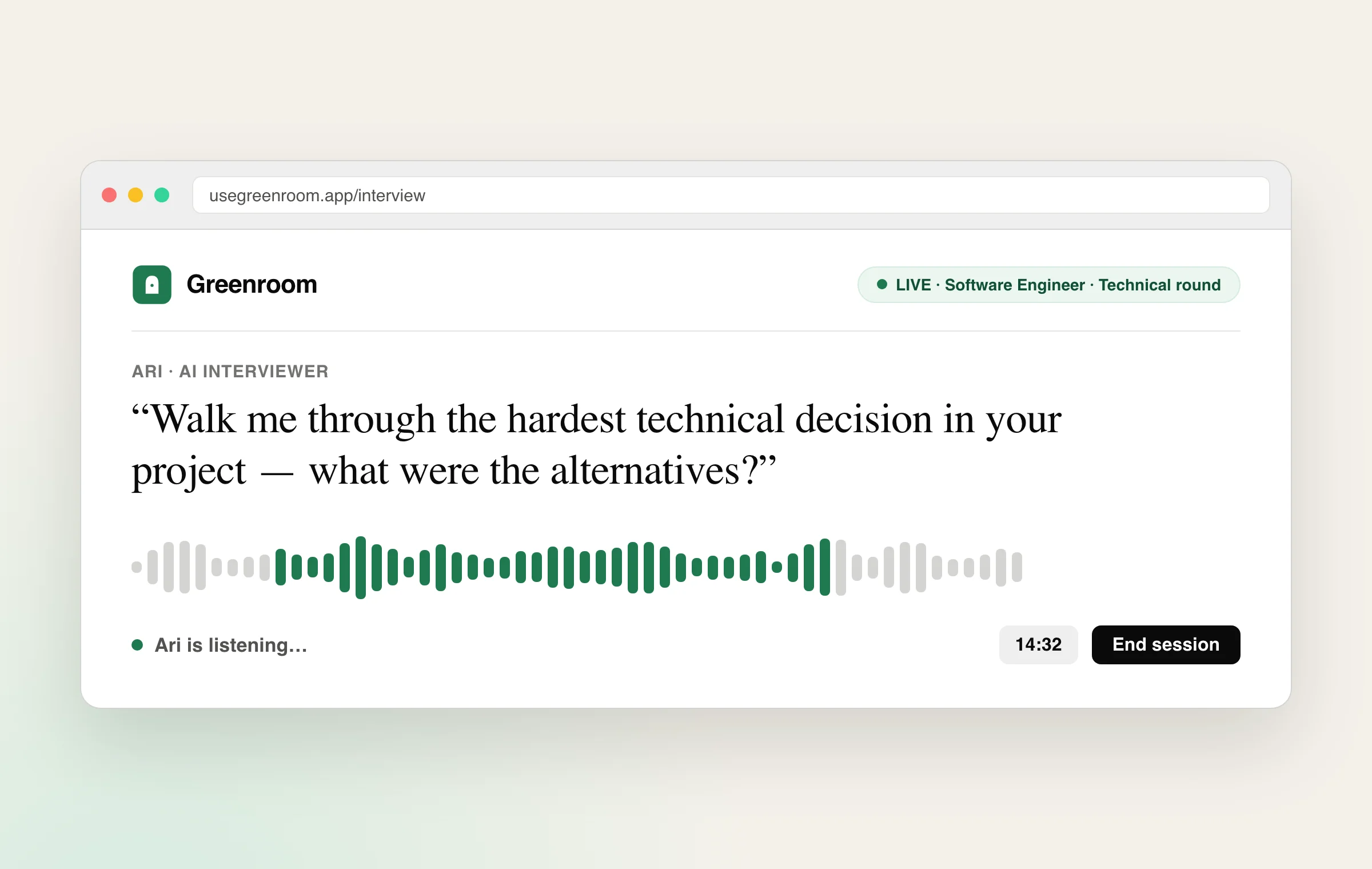
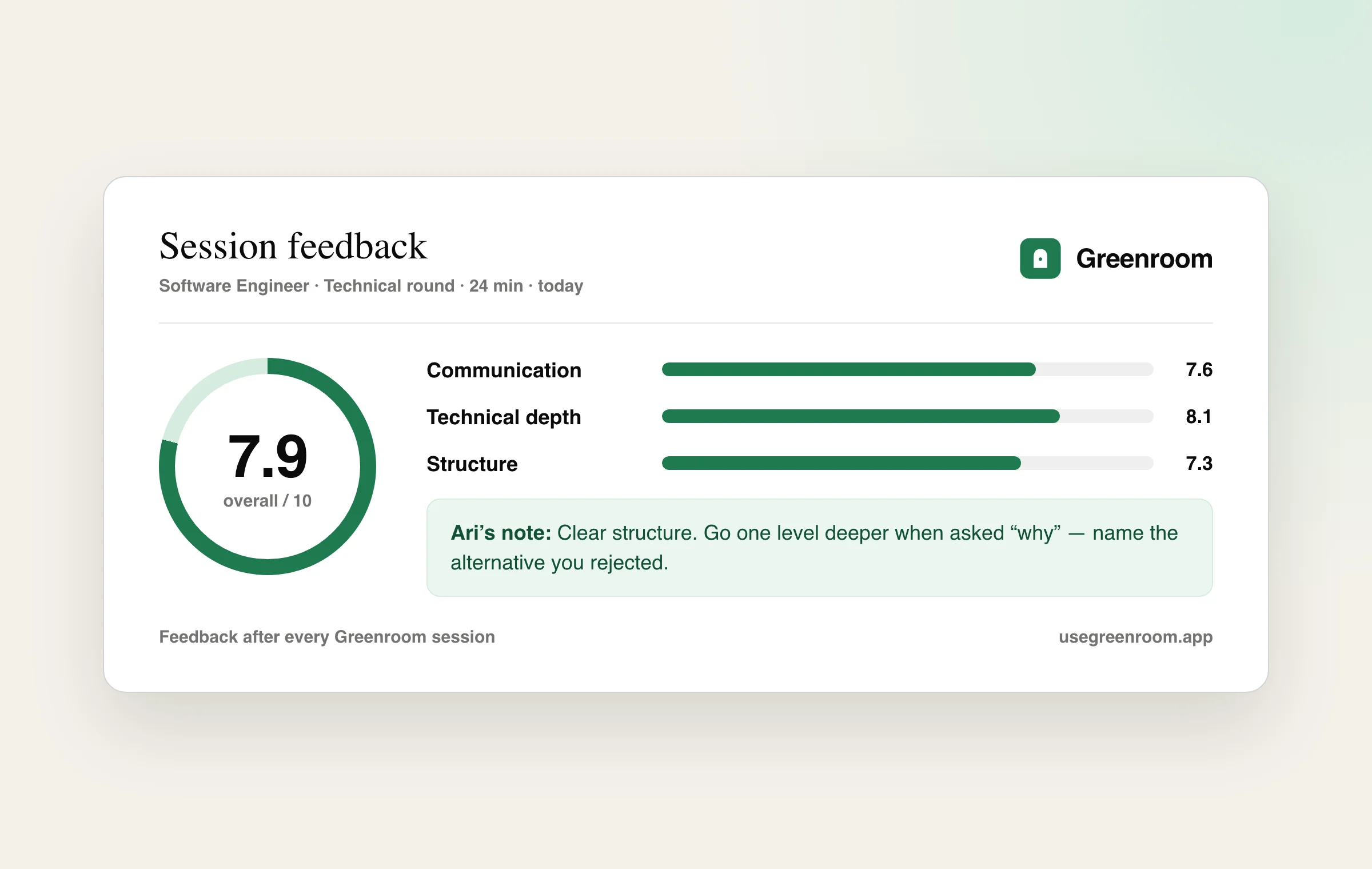
What works: Voice-first — you talk, the AI (Ari) talks back in real time. Before the session, Ari reads your GitHub: top repos, recent commits, READMEs, PR descriptions. The questions are about your code. "Why did you reach for Zustand instead of Redux on this dashboard?" not "explain the difference between Redux and Zustand." That's a meaningful gap. Feedback after the session is specific to things you actually said.
What doesn't: If your GitHub is sparse, the personalization isn't there. We have a generic mode but it's just OK — not better than a well-prompted ChatGPT. Also, one free mock per month is enough to see if it clicks, not enough to seriously prep. We're honest about that.
5. LeetCode mock interviews (free)
Pure algorithms, timed. Not really an "AI interview" — more of an algorithm gauntlet with a timer. Worth mentioning because people Google for it.
What works: If your interview is going to be a pure DSA grind, this is the realistic simulation. It also teaches you to think under time pressure, which transfers.
What doesn't: It's a coding test, not an interview. There's no interviewer asking follow-ups, no opportunity to practice the explanation, no behavioral component. Mid- and senior-level interviews are mostly not this.
What I'd actually recommend (the unromantic answer)
Stack three tools, not one. Each does something different and the overlap is small:
- ChatGPT or Claude for brainstorming and rapid-fire drills on specific topics. Free, infinite, do this daily.
- One voice tool (Greenroom, or anything else voice-based) to practice the talking-out-loud part, which is the actual skill most interviews test. Once a week.
- Pramp or Interviewing.io in the last two weeks before a real loop, when you need real-human friction.
What to ignore
Anything that promises "100+ interview questions" but is just a Q&A list. Anything where the entire product is a chatbot UI on top of GPT-4 with an interview prompt — you can do that yourself for free. Anything that gates voice behind a paywall on a "free" tier; voice is the whole point.
One thing nobody tells you
The biggest predictor of how you'll do in real interviews isn't which tool you used. It's how many times you said the same kind of answer out loud before the day arrived. Pick something — anything from this list, including the free LLM route — and use it three times a week for a month. That habit beats any product. Still deciding? Here's what an AI mock interview tool actually does and how to use one.
Frequently asked questions
What is the best free AI mock interview tool?
For voice practice on your own background, Greenroom's free tier; for human peer mocks, Pramp; for unlimited typed Q&A drilling, ChatGPT with a strict interviewer prompt. They're complementary rather than competing.
Are free AI mock interview tools actually useful?
Yes, if they make you produce answers under some pressure. The useful free tools give you reps speaking or writing answers; the useless ones are demos that ask three generic questions and try to upsell before any feedback.
Can ChatGPT replace a dedicated mock interview tool?
For question generation and answer drafting, yes. For realistic rehearsal, no — typed chat doesn't train speaking under pressure, ChatGPT agrees with you too easily, and it doesn't know your projects unless you paste everything in.
What's the catch with free tiers?
Volume and depth limits, mostly. A free tier is plenty to evaluate whether a tool helps you; if you're interviewing within a month, the paid tier of whichever tool you actually use daily is usually worth it.