---
title: TensorFlow Interview Questions and Answers (2026)
description: Real TensorFlow interview questions — eager vs graph mode, tf.function, the Keras APIs, tf.data pipelines, and deployment with TF Serving and TFLite.
url: https://usegreenroom.app/blog/tensorflow-interview-questions
last_updated: 2026-07-31
---
← Back to blog
AI & ML
# TensorFlow interview questions and answers
July 31, 2026 · 12 min read
"It trains fine," the candidate said, "but it's slow." The interviewer asked whether he'd wrapped the training step in @tf.function. He had. "And does the function print anything?" It did — a debug print that fired exactly twice and then never again, which he had assumed was a bug in his logging and had spent an afternoon on.
That print firing twice and stopping is the single most instructive thing in TensorFlow, and it is the spine of most TensorFlow interview questions: the difference between Python running your code and TensorFlow tracing it into a graph. This guide covers eager versus graph mode, the Keras APIs, tf.data, and the deployment story that is still TensorFlow's strongest argument.
## What TensorFlow interviews actually test
TensorFlow interview questions appear in ML engineer, applied scientist and MLOps loops — especially at enterprises with existing TF codebases. Five bands:
- Execution model — eager vs graph, @tf.function, tracing and retracing.
- The Keras APIs — Sequential, Functional and subclassing, and when each is right.
- Input pipelines — tf.data, and why the pipeline is usually the bottleneck.
- Training control — callbacks, custom training steps, custom losses and metrics.
- Deployment — SavedModel, TF Serving, TFLite, quantization. TensorFlow's real differentiator.
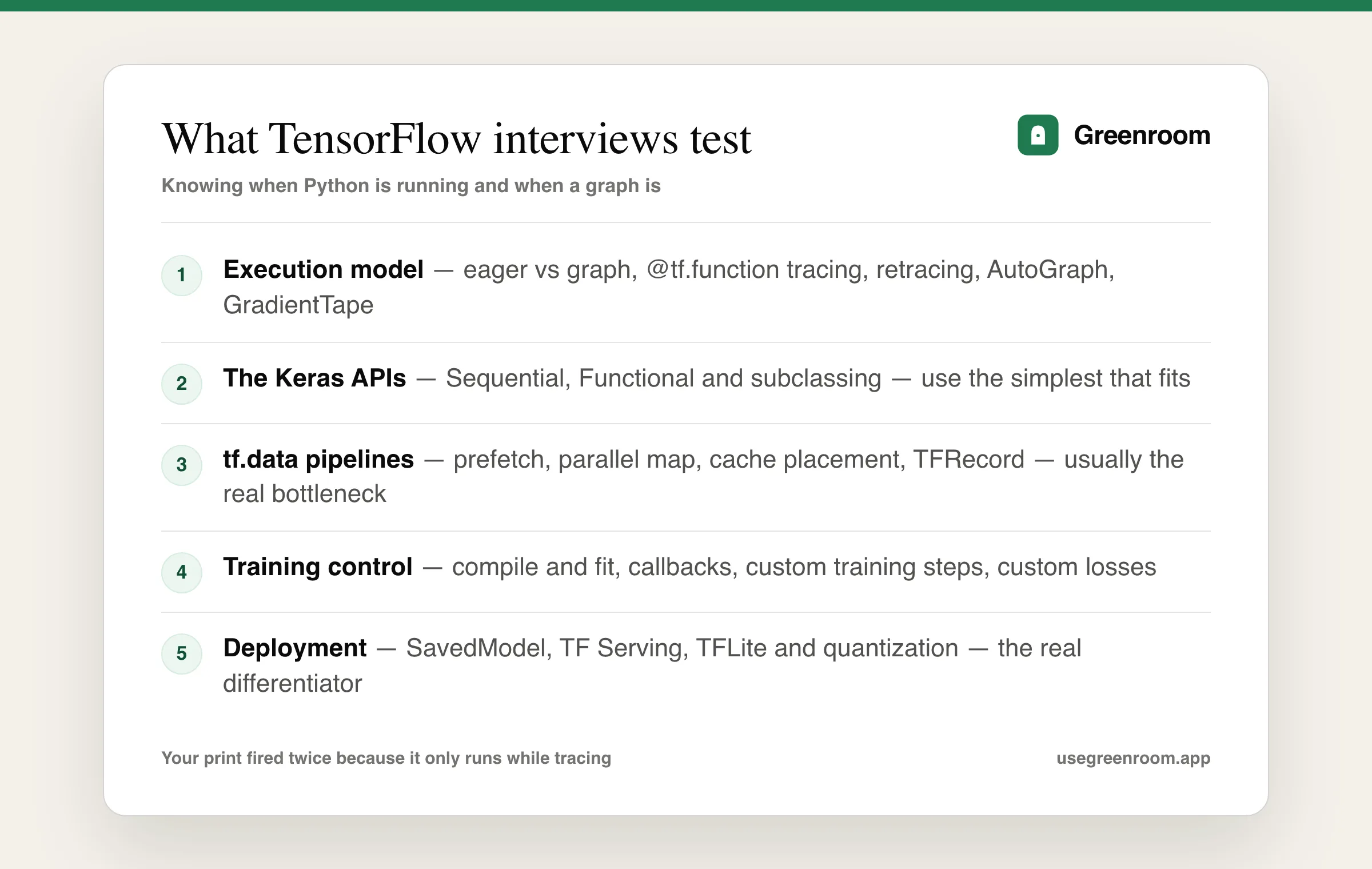
The five bands of TensorFlow interview questions, with the execution model filtering candidates fastest.
## Eager vs graph mode and tf.function
TensorFlow 1 built a static graph you then ran in a session. TensorFlow 2 defaults to eager execution — operations run immediately, like NumPy, so debugging is ordinary Python debugging. @tf.function gets the old performance back by tracing your Python function once into a graph and executing that graph thereafter.
The consequences are exactly what interviewers ask about:
- Python side effects run only during tracing. That is why the debug print fired twice (once per trace, and TF often traces more than once) and then stopped — the graph contains the ops, not the print. Use tf.print if you need output at execution time.
- Retracing happens when the function is called with a new input signature — a different shape or dtype. A function retraced on every call is slower than no tf.function at all, and the fix is a fixed input_signature or consistent shapes.
- Python control flow gets converted by AutoGraph — a Python if on a tensor becomes tf.cond. This mostly works and occasionally surprises you.
- Do not create variables inside a tf.function, because creation would repeat on every trace. TF raises an error for this, and the reason is worth being able to state.
```
@tf.function
def train_step(x, y):
with tf.GradientTape() as tape:
logits = model(x, training=True) # training=True matters for dropout / BN
loss = loss_fn(y, logits)
# The tape recorded the forward ops; now differentiate.
grads = tape.gradient(loss, model.trainable_variables)
optimizer.apply_gradients(zip(grads, model.trainable_variables))
# print() would only fire while tracing — use tf.print at run time
tf.print("loss:", loss)
return loss
```
Be ready to explain GradientTape: it records operations on watched tensors during the forward pass so gradients can be computed afterwards. By default a tape is consumed by one gradient() call — you need persistent=True for more, which is the standard follow-up. Our deep learning interview questions guide covers the theory underneath.
## The three Keras APIs
A guaranteed question, and the answer should be about fit rather than preference:
- Sequential — a linear stack of layers. Right for simple feed-forward and basic CNNs. Cannot express multiple inputs, multiple outputs or skip connections.
- Functional — layers as callables on tensors, building a graph. Right for multi-input/multi-output models, shared layers and residual connections. The workhorse for most production models, and it can be inspected and plotted before training.
- Subclassing tf.keras.Model — write call() yourself. Right for genuinely dynamic architectures and research. Costs you static inspectability: model.summary() needs a build, and errors surface later.
The mature line: use the simplest API that expresses the model, and reach for subclassing only when the architecture genuinely needs Python control flow. Also know model.compile() and fit() versus a custom training loop, and be able to say when you'd abandon fit() — usually for non-standard losses spanning multiple models, like GANs.
## tf.data and why the pipeline is the bottleneck
A recurring practical question: training is slow but GPU utilisation is low — why? The answer is almost always the input pipeline starving the accelerator.
```
ds = (tf.data.Dataset.from_tensor_slices((paths, labels))
.shuffle(buffer_size=10_000) # buffer must be large enough to mix
.map(load_and_augment,
num_parallel_calls=tf.data.AUTOTUNE) # parallel CPU work
.batch(32)
.prefetch(tf.data.AUTOTUNE)) # overlap CPU prep with GPU compute
```
Explain each choice. prefetch overlaps preparation of batch N+1 with training on batch N and is the highest-impact single line. Parallel map uses multiple CPU threads for decoding and augmentation. cache() after an expensive deterministic step avoids repeating it every epoch — but caching after augmentation defeats the augmentation, which is a favourite trap question.
Order matters and interviewers test it: shuffle before batch (otherwise you shuffle batches, not examples), and put repeat after shuffle for proper epoch boundaries. Know TFRecord too — the binary format that avoids millions of small-file reads, which is the standard answer to "how would you handle a dataset too large for memory?"
## Deployment: TensorFlow's real argument
This is where TensorFlow still wins, and where MLOps-leaning interviews concentrate:
- SavedModel — the standard serialisation format, containing the graph and weights, language-independent and the input to everything below. Contrast with saving only weights, which requires the code to rebuild the architecture.
- TF Serving — a production server with versioning, batching of concurrent requests, and hot model swaps without downtime. Being able to say why request batching matters for GPU throughput is a strong signal.
- TFLite — conversion for mobile and embedded, with quantization. Know post-training quantization (fast, small accuracy cost) versus quantization-aware training (better accuracy, needs retraining) — a very common question pair.
- TensorFlow.js — browser and Node inference, occasionally asked for edge cases.
- TFX — end-to-end pipelines: validation, transform, training, evaluation, serving. Named more often in enterprise loops.
Our machine learning engineer interview questions guide covers deployment and monitoring more broadly, and the Docker interview questions guide covers the packaging layer these servers run in.
## TensorFlow vs PyTorch, answered without partisanship
You will be asked, and the temptation is to pick a side. The honest 2026 answer: PyTorch dominates research and has taken most of the production default position too, largely because eager-first debugging is simply easier. TensorFlow retains a stronger deployment story — TF Serving, TFLite, TFX — and enormous amounts of working enterprise code that nobody is going to rewrite.
The frameworks have converged: TF2 is eager by default, PyTorch added graph compilation and better serving. So the real decision inputs are the team's existing stack, the deployment target (mobile still favours TFLite maturity), and hiring. Candidates who trash whichever framework the interviewer's company uses do genuinely lose points. Our PyTorch interview questions guide covers the other side.
## The docs, courses, Kaggle, ChatGPT — where each fits
- The official TensorFlow guides — the tf.function and tf.data performance pages answer most of the hard questions directly and are more current than courses.
- The TensorFlow Developer Certificate material — reasonable structured coverage, though it skews toward the Keras happy path rather than the tracing questions.
- Hands-On Machine Learning (Géron) — still the best book-length treatment of TF2 and Keras for interview purposes.
- Building and deploying one model end to end — highest yield. Train, export a SavedModel, serve it, convert to TFLite. That single exercise covers the deployment band completely.
- Kaggle — good for the modelling craft, silent on serving, which is exactly the half TF interviews weight.
- ChatGPT — good for explaining an API and reviewing code. It will not ask why your print fired twice.
- Greenroom — the spoken layer. Ari, the AI interviewer, runs the round out loud and pushes the mechanism follow-up when your answer stops at the API name. Fair tradeoff: Ari will not deploy your SavedModel.
> The core truth: TensorFlow interviews hinge on knowing when Python is running and when a graph is. Almost every confusing behaviour — silent prints, mysterious retracing, variables that cannot be created — comes from that one boundary, and explaining it clearly clears most of the round.
## How to prepare for a TensorFlow interview
- Week 1: execution model. Write a tf.function, add a print, watch it fire during tracing only, then force retracing with changing shapes and explain what happened.
- Week 2: the three Keras APIs — build the same model in all three and articulate the tradeoff each time.
- Week 3: tf.data. Build a pipeline, measure GPU utilisation, then add prefetch, parallel map and cache and record what each changed.
- Final week: deployment end to end — SavedModel, TF Serving, TFLite with quantization — plus the framework-comparison answer rehearsed neutrally, and two full spoken mocks.
Going deeper? The deep learning interview questions guide covers the theory, the PyTorch guide covers the other framework, and the computer vision and NLP guides cover the domains these models are built for.
## Frequently asked questions
### What are the most common TensorFlow interview questions?
The most common questions cover the difference between eager and graph execution and what @tf.function does, why Python side effects such as print only run during tracing, what causes retracing and why it hurts performance, the differences between the Sequential, Functional and subclassing Keras APIs, how to build an efficient tf.data pipeline with prefetch and parallel map, and how you deploy a model with SavedModel, TF Serving or TFLite.
### What does @tf.function actually do?
It traces your Python function once into a TensorFlow graph and executes that graph on subsequent calls, recovering the performance of graph mode while letting you write ordinary eager code. The important consequence is that Python side effects such as print statements run only during tracing, not at execution time, so you need tf.print for output during actual runs.
### What causes retracing in TensorFlow and why does it matter?
Retracing happens when a tf.function is called with a new input signature — a different tensor shape, dtype, or a Python value being passed where a tensor was expected. Each retrace rebuilds the graph, so a function that retraces on every call is slower than not using tf.function at all. Fixes include specifying a fixed input_signature, padding to consistent shapes, and avoiding Python values as arguments.
### What is the difference between the Sequential, Functional and subclassing Keras APIs?
Sequential is a linear stack of layers, suitable for simple models but unable to express multiple inputs, multiple outputs or skip connections. Functional treats layers as callables on tensors to build a graph, handling residual connections and shared layers while remaining statically inspectable. Subclassing tf.keras.Model means writing call() yourself, which suits genuinely dynamic architectures but sacrifices static inspection and delays error detection.
### How do you make a tf.data pipeline faster?
Add prefetch with AUTOTUNE so batch preparation overlaps with GPU compute, use parallel map with num_parallel_calls for decoding and augmentation, and cache expensive deterministic steps — but cache before augmentation, not after, or you defeat the augmentation. Order matters too: shuffle before batch so you shuffle examples rather than batches. For very large datasets, use TFRecord files to avoid millions of small-file reads.
### Is TensorFlow still worth learning compared to PyTorch in 2026?
PyTorch dominates research and has become the default in most new production stacks, so it is the safer primary choice. TensorFlow remains worth learning because its deployment tooling — TF Serving, TFLite for mobile and embedded, and TFX pipelines — is mature, and large enterprise codebases still run on it. Many roles, particularly in established companies and mobile ML, specifically require it.
TensorFlow rounds hinge on explaining the tracing boundary out loud. Greenroom runs mock ML interviews with Ari — mechanism follow-ups included — and scores structure, clarity and depth. Free to start. Curious how it works? See how AI mock interviews work.